November 2026 (version v1.2)
Released
What’s new
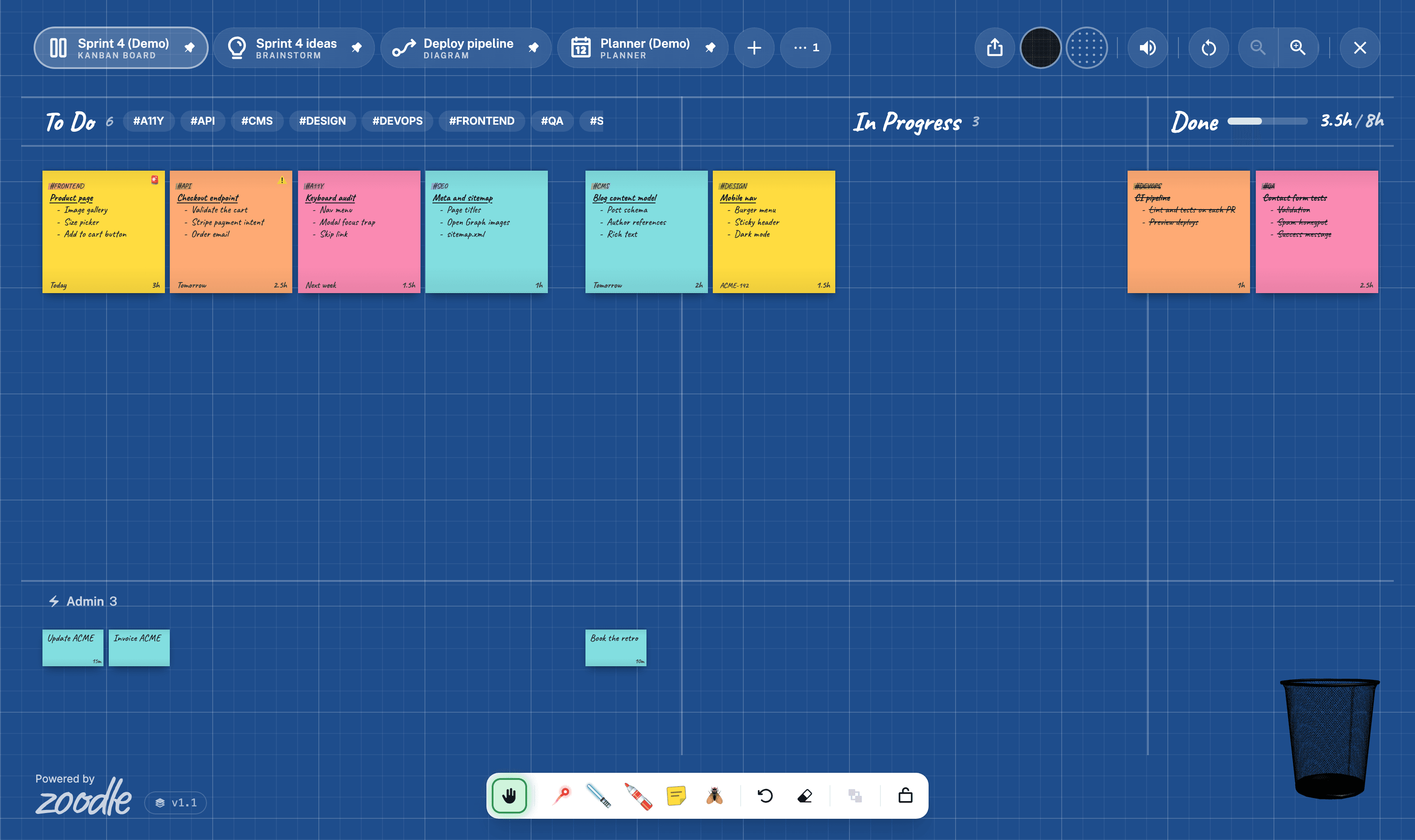
Zoom now changes only the cards, so the columns stay put. Admin runs across the whole board, and every drag shows where it will land.
- Zoom shows more cardsZoom out to fit more in each lane, or in until To Do is two across. The columns never move.
- Admin across the boardMove a mini from To Do through In Progress to Done, along one row.
- See where it will landA dashed box shows the spot as you drag a Post-it, at the size it will be.
- Status and colours⚠️ Urgent and 🚨 Critical are back, with a new set of colours.
Enhancements
Zoom shows more cards
On a Kanban Board, zoom now changes only the Post-its and the gaps between them. Zoom out and each lane fits more. Zoom in and they grow until To Do is two across, then Zoom in turns off. To Do and the Admin row have a thicker scrollbar that's always there and can be dragged.
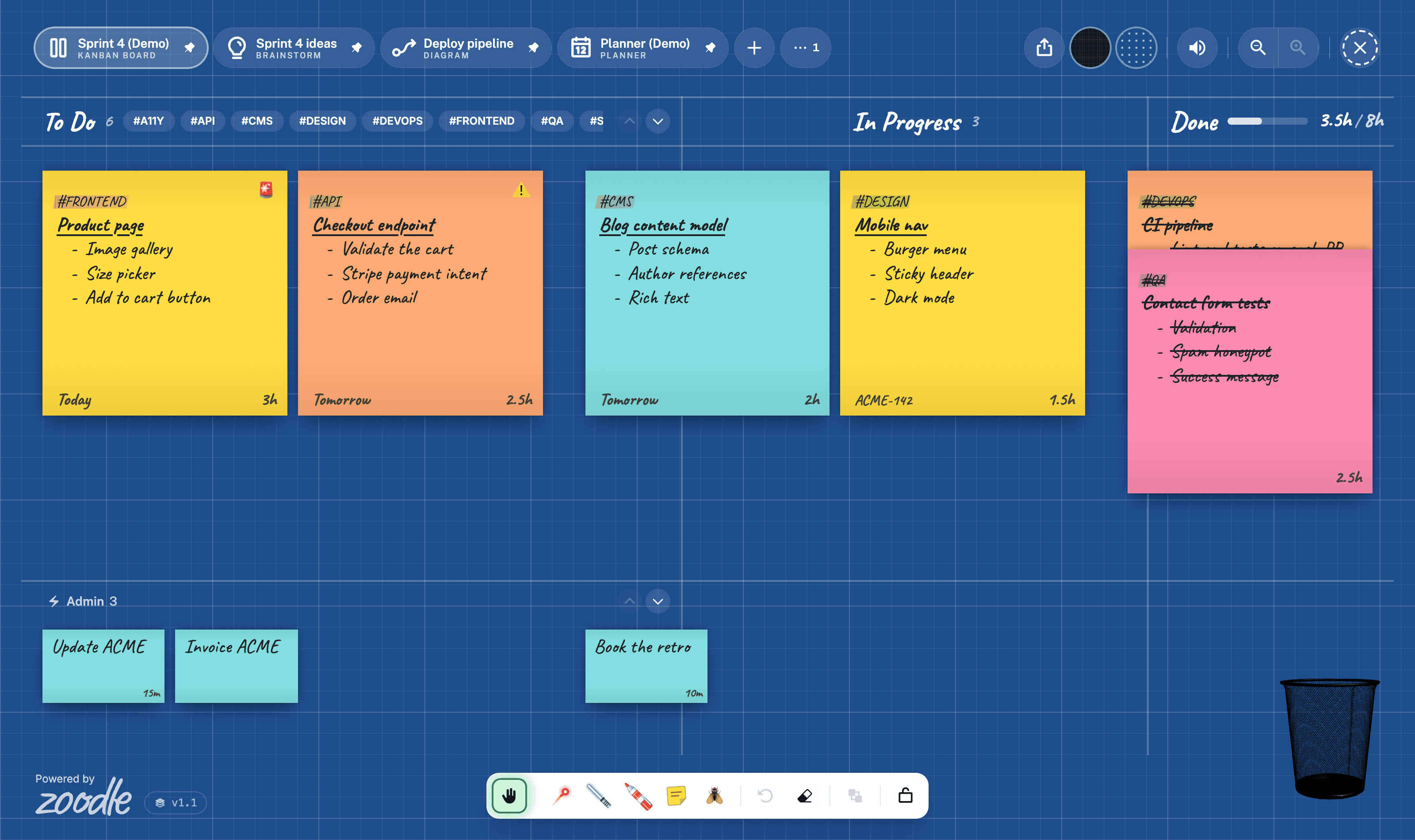
Admin across the board
Admin is now a row along the foot of every lane. Drag a mini along it from To Do to Done and it stays a mini. Drop anything in the row and it becomes one.
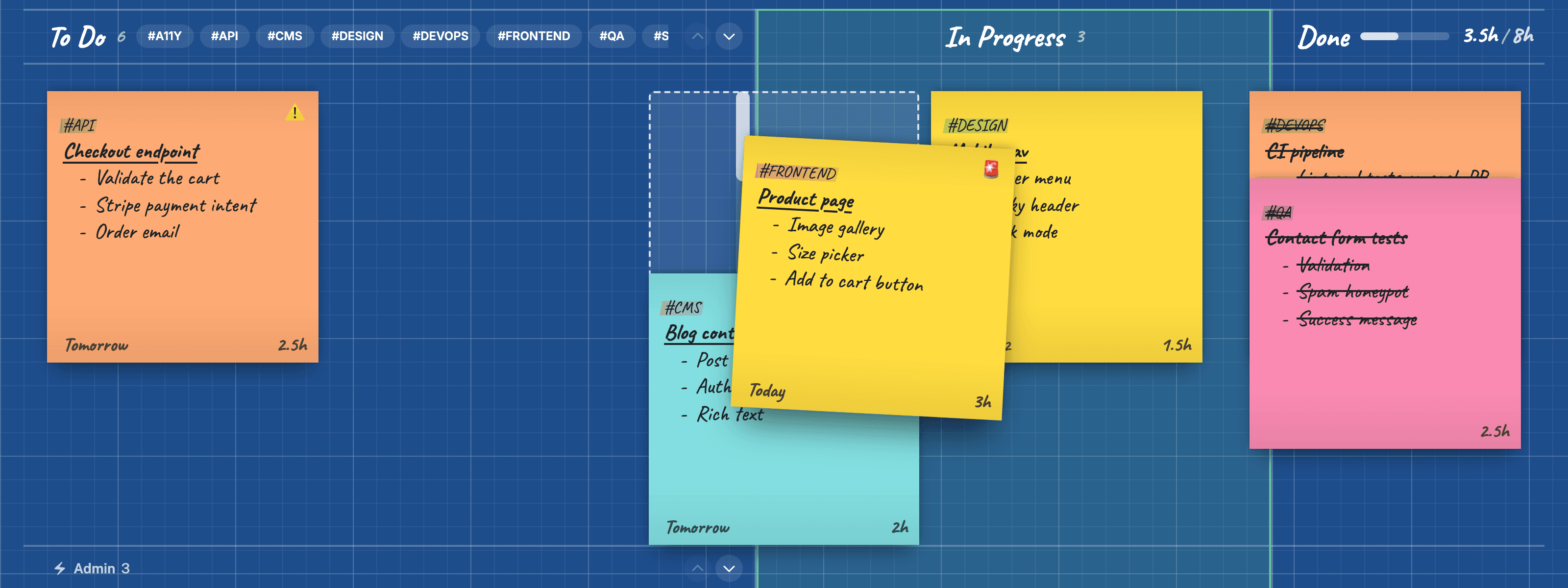
See where it will land
Drag a Post-it on a Kanban Board, or a mini on a Planner, and a dashed box shows where it will land, at the size it will be there.
Status and colours
Pick a Post-it and press its status: ⚠️ Urgent, 🚨 Critical, then none. It shows in the corner. Post-its now come in five colours, palest to strongest: Canary, Fresh Green, Teal, Orange and Pink.
Bug fixes
- Binning a Post-it no longer leaves a gap in To Do or the Admin row, and boards saved with gaps close up when opened.